Library
Chat Lab
Ten AI chat dashboards for ten jobs, and none of them is a chat window with a new coat of paint. Each one answers a different question: what should working with an AI feel like when the work is a contract, a ward round or a lesson?
10 experiences10 live0 in the build queueDesktop first, best at 1280 and wider
10 experiences
10 experiences
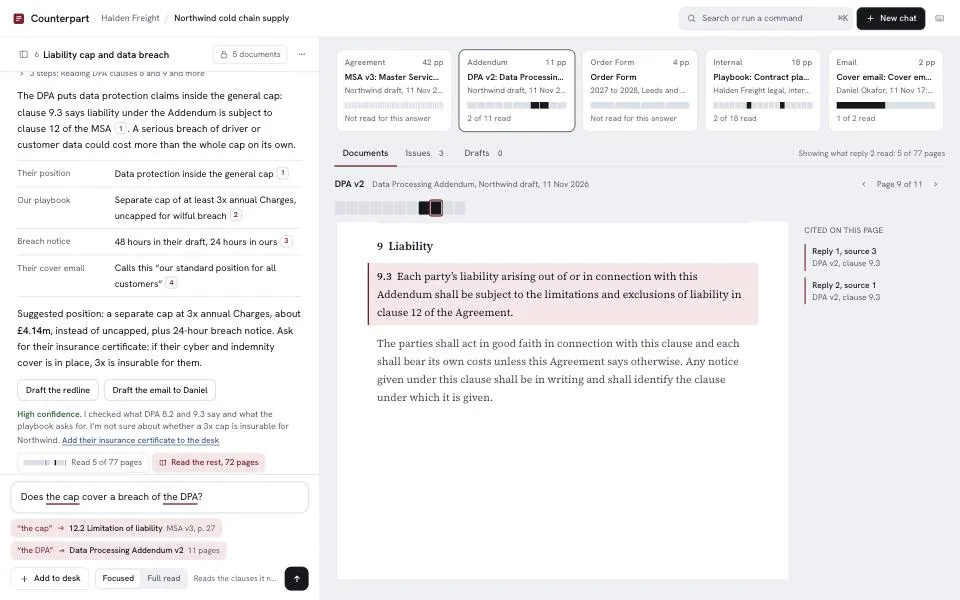
- 01CounterpartLegal counselAsk about a contract stack and every answer opens the exact clause on the desk, with proof of what was read.A desk of documentsA read-coverage strip on every document shows which pages the answer actually read, with one click to read the rest.
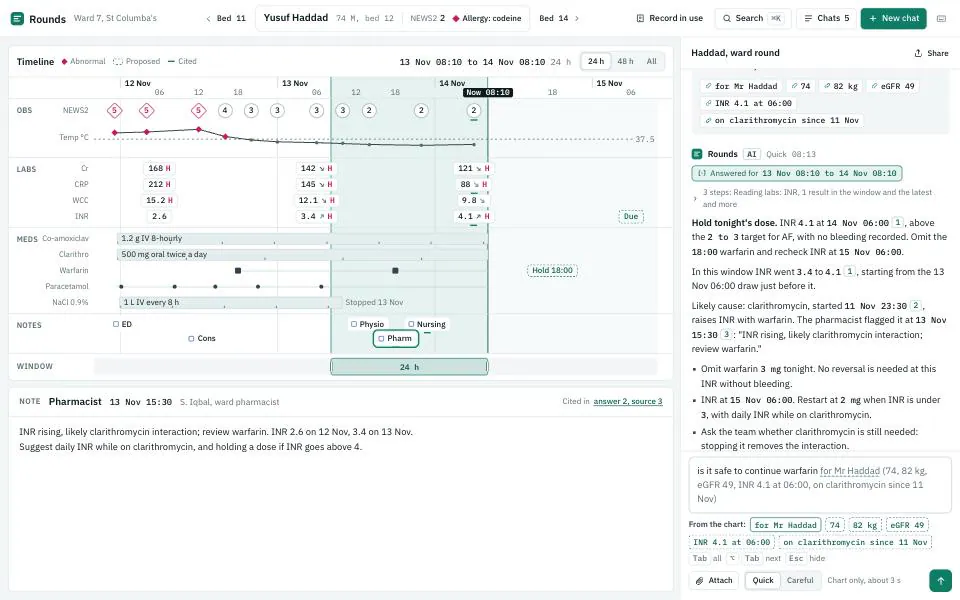
- 02RoundsHospital clinicianA ward-round assistant beside the patient's timeline of labs, meds and notes, where every answer is scoped to a window of time.A patient timelineBrush a window on the timeline and the question re-answers live for that window as you drag it.
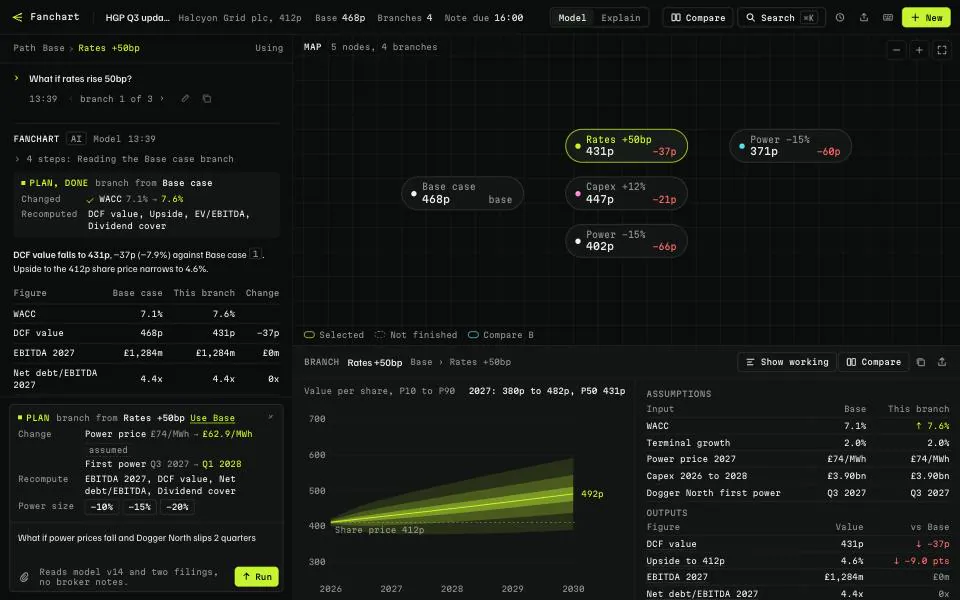
- 03FanchartFinancial analystEvery what-if is a branch on a scenario map, and each branch carries its own model outputs.A conversation mapPick two branches and compare them side by side, then merge one branch's assumptions into the other.
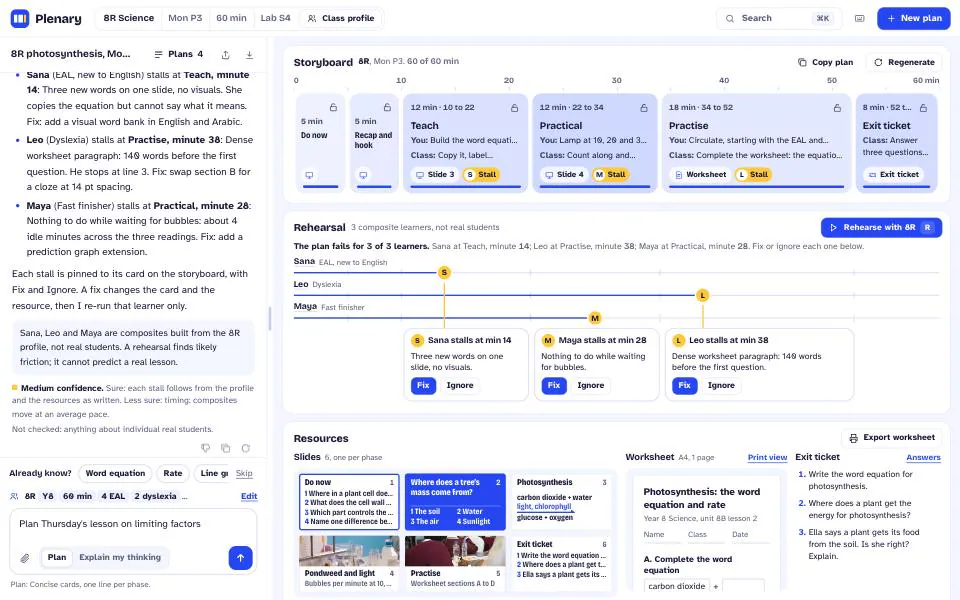
- 04PlenarySecondary school teacherPlan a lesson as a storyboard of timed phases that fills in as you talk it through.A lesson storyboardClass rehearsal: run the lesson against three simulated learners and see where each one would stall.
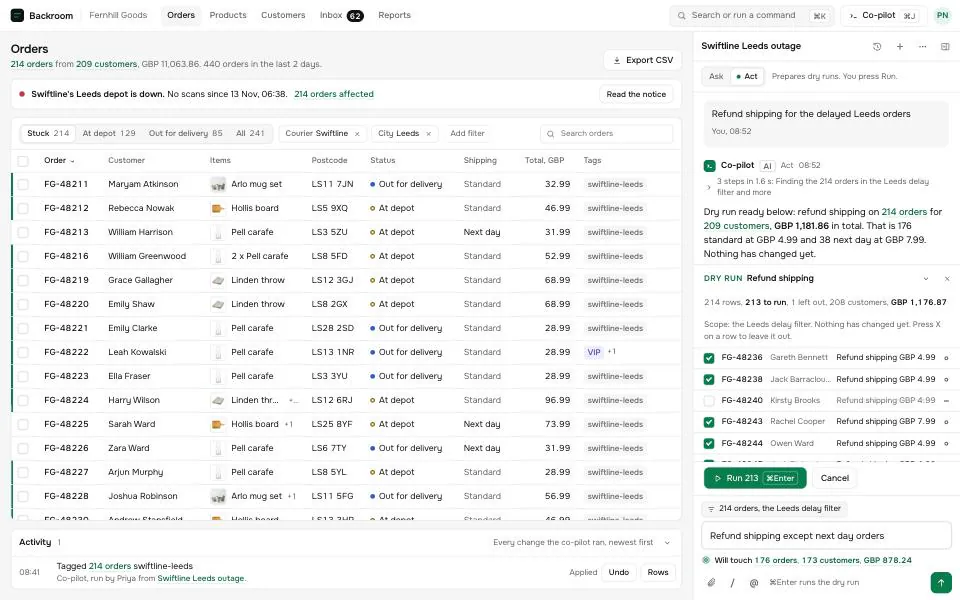
- 05BackroomE-commerce operationsThe assistant lives inside the store admin: point at rows to scope a question, then let it act on them safely.A co-pilot inside the orders adminDry-run ledger: every change the agent would make is listed first, rows can be excluded, and a commit can be undone for ten seconds.
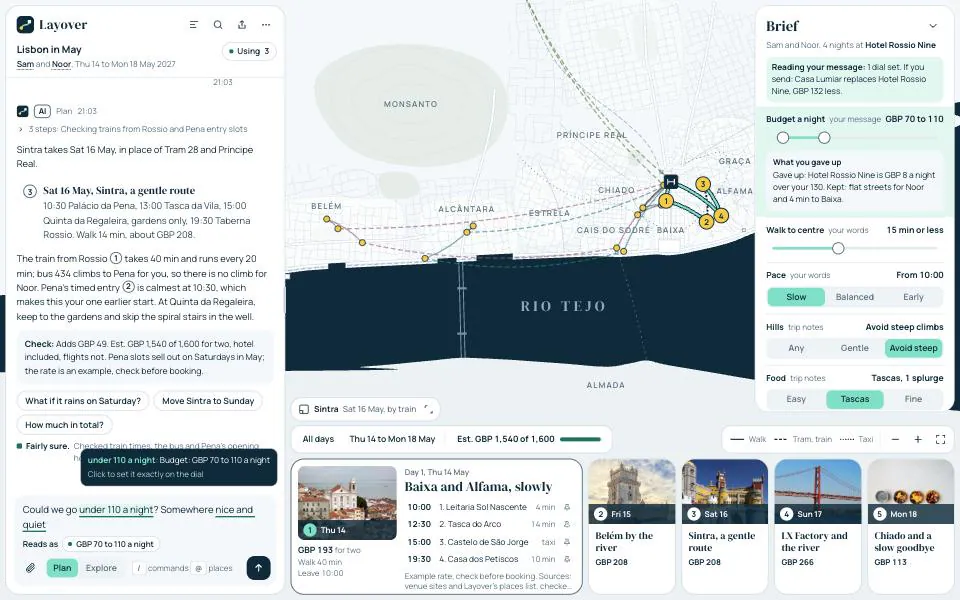
- 06LayoverTravel plannerPlan a trip in chat while the map and the day-by-day plan redraw beside it.A live itinerary mapDrag a trade-off dial and the plan re-streams in place, with a note of what you gave up.
- 07PlancheckArchitectAsk questions by pinning them to the drawing; the pin says where, you only say what.A drawing canvasEvery pin is its own thread with its own context, and all pins roll up into an issue schedule you can send.

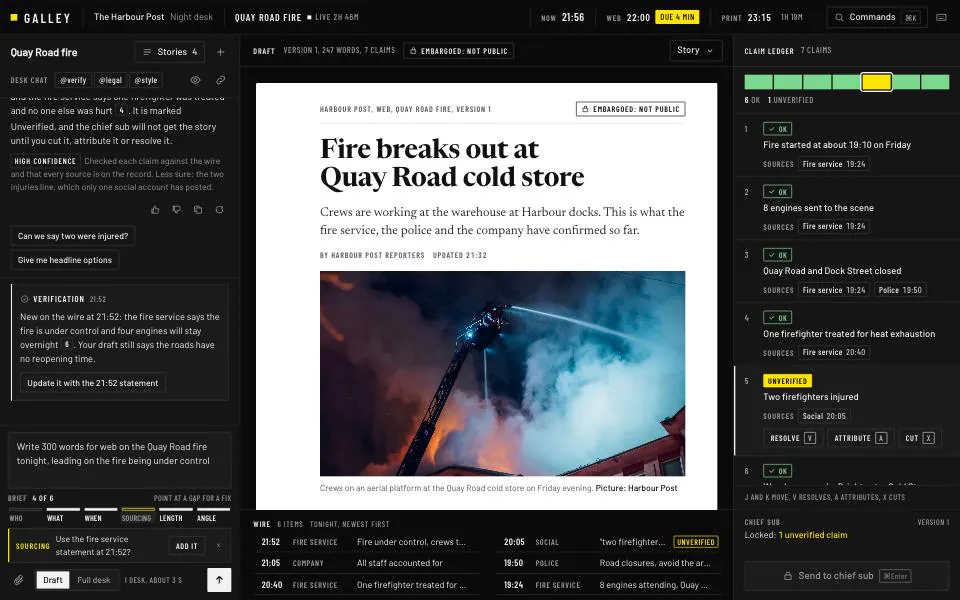
- 08GalleyNewsroom editorA developing story on one table: the wire, the draft, and the desks that check it.A briefing roomA claim ledger turns every fact in the draft into a row, and the draft cannot go to the desk until unverified claims are resolved.
- 09WicketGovernment service deskA service officer and a resident talk; the case file fills in from the conversation, in English and Arabic.A case file that fills itselfField provenance: each filled field links to the sentence that filled it, and sensitive fields wait for the resident's consent.

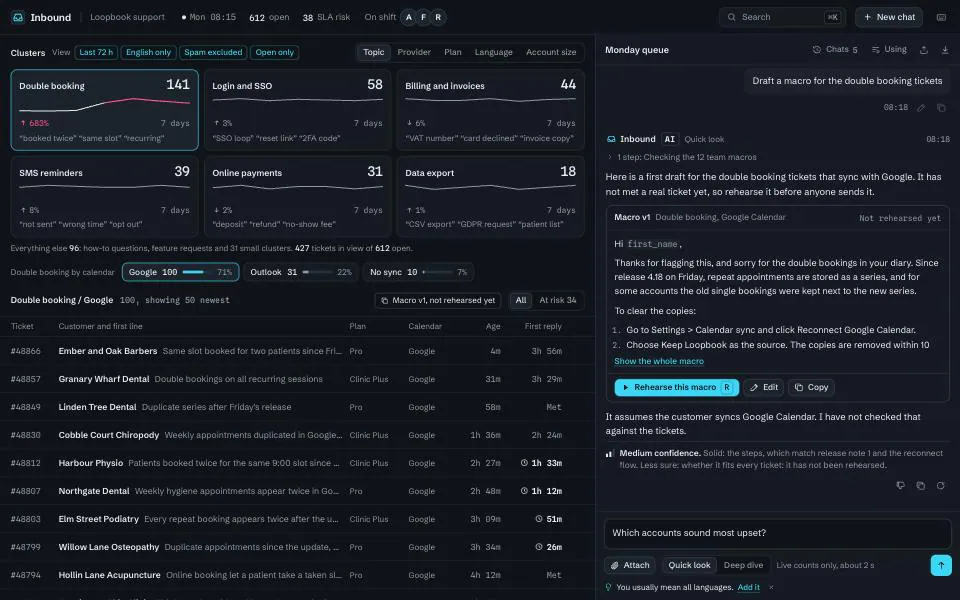
- 10InboundSupport team leadAsk why the queue looks the way it does; answers regroup the live queue and draft the fix.A clustered ticket queueMacro rehearsal: a draft reply is tested against fifty recent tickets before rollout, with pass and fail clusters.
What every experience has to do
- A workspace, not a scroll
- Chat sits beside a live preview that moves with every turn, branch and edit.
- Coaching while you type
- Each one helps you write a better prompt in its own way, without nagging.
- One thing nobody ships
- Every experience adds an interaction no major chat product has released.
- Every state designed
- Empty, streaming, stopped, error and offline, plus history, branches and shortcuts.